Medication Type: Set Doses & Schedules
A medication reminder is here to help you stay on track with your meds — no matter how the day goes.
Unlike regular reminders that are all about meeting a deadline, this one’s all about making sure you don’t skip a dose,even when life gets a little off‑schedule.
Let’s walk through it step by step:
- Tap the “+” button to open the reminder creation screen.
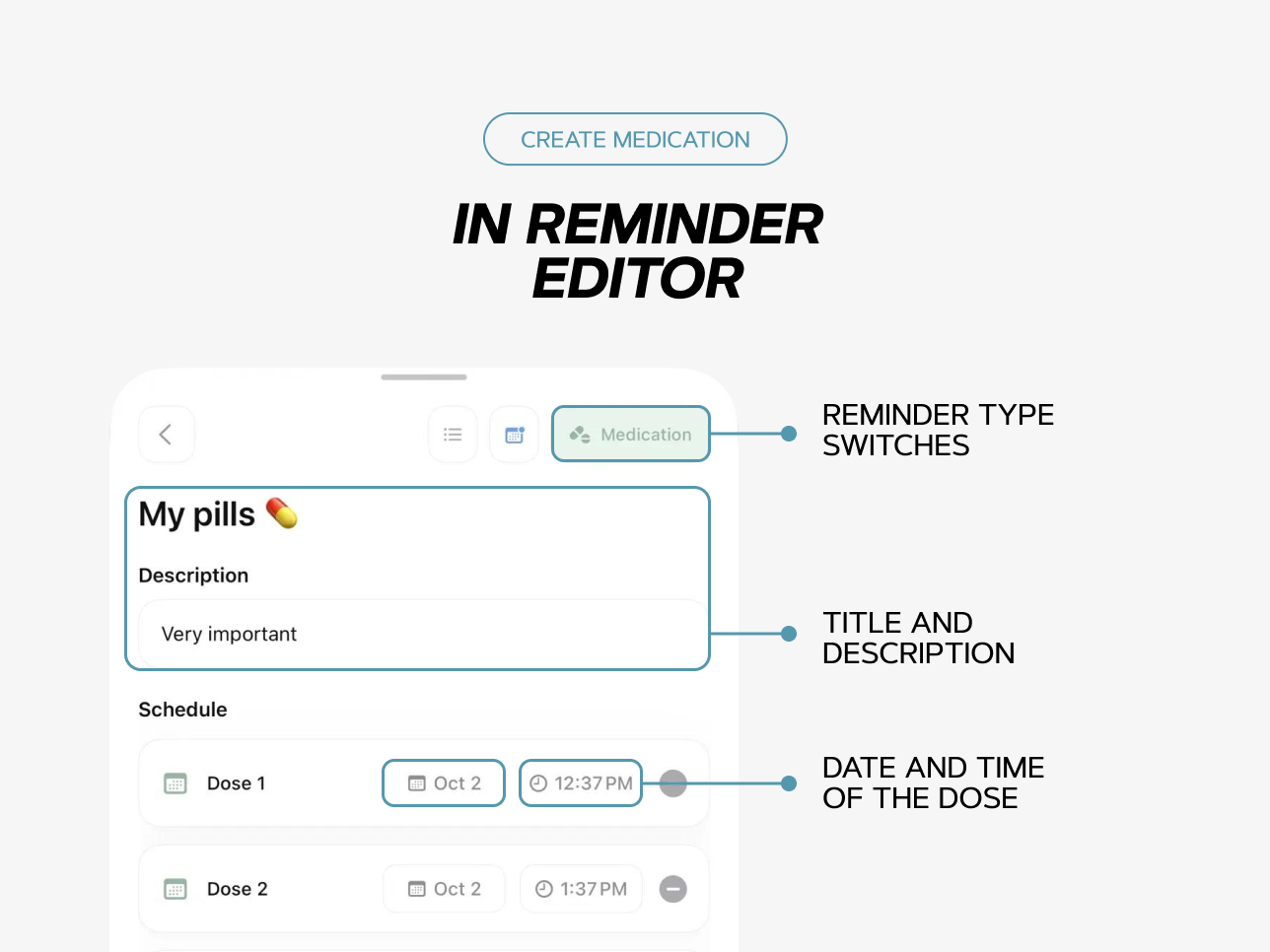
- In the top right corner, you’ll see the type toggles — select “Medications”.
- Add a title and a short description. This way, you’ll instantly know what it’s about, even if your list is full of tasks.
- Add the dose. The date and time will be filled in automatically: it’ll show today’s date and the nearest hour from when you created the reminder.
How to Track Your Doses
Once you create a medication reminder, it will show up on the home screen and in the calendar.
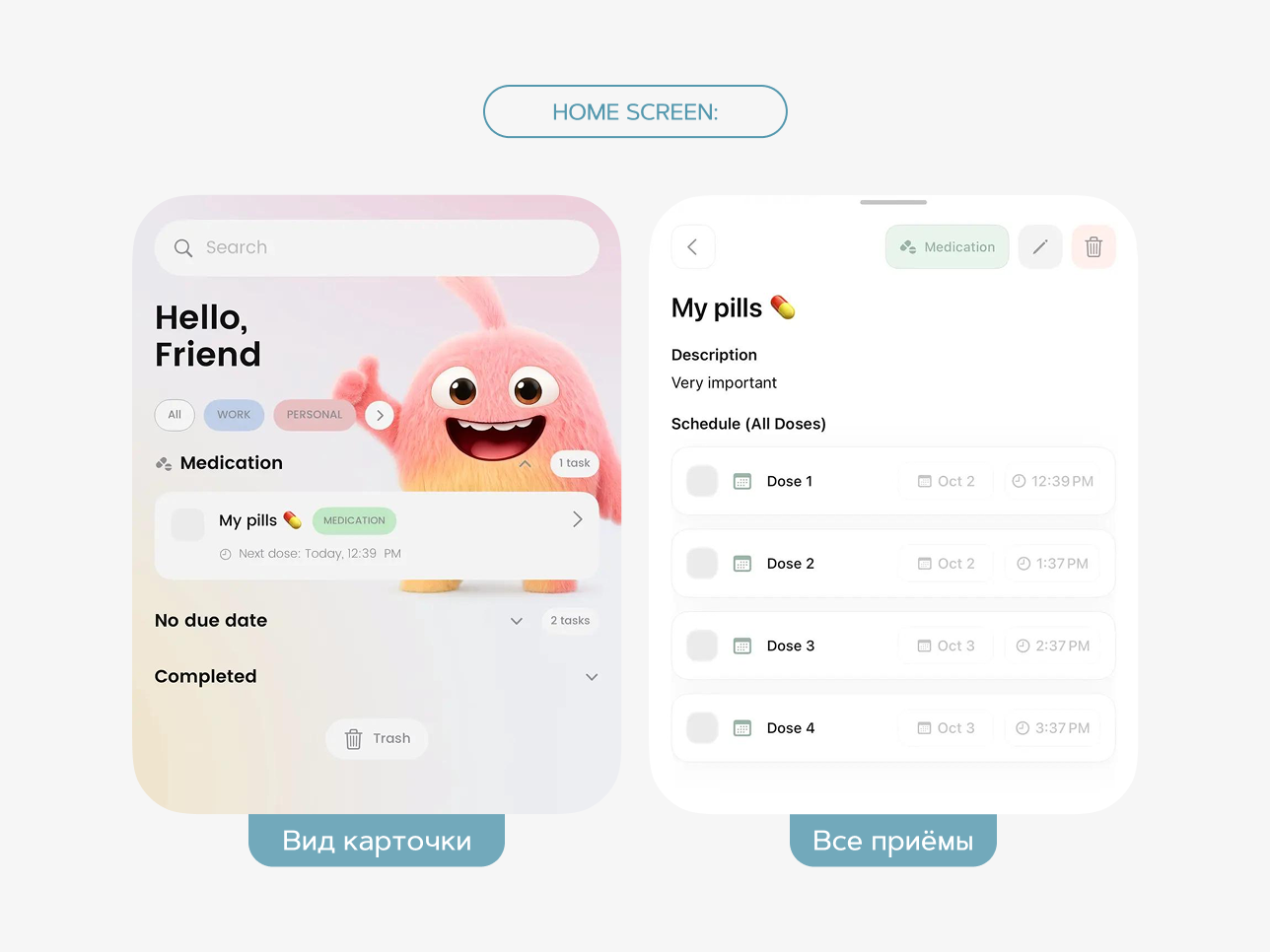
On the home screen:
The card displays the title and the next upcoming dose.
Tap the card to see all doses. You can mark them as taken by fully expanding the reminder.
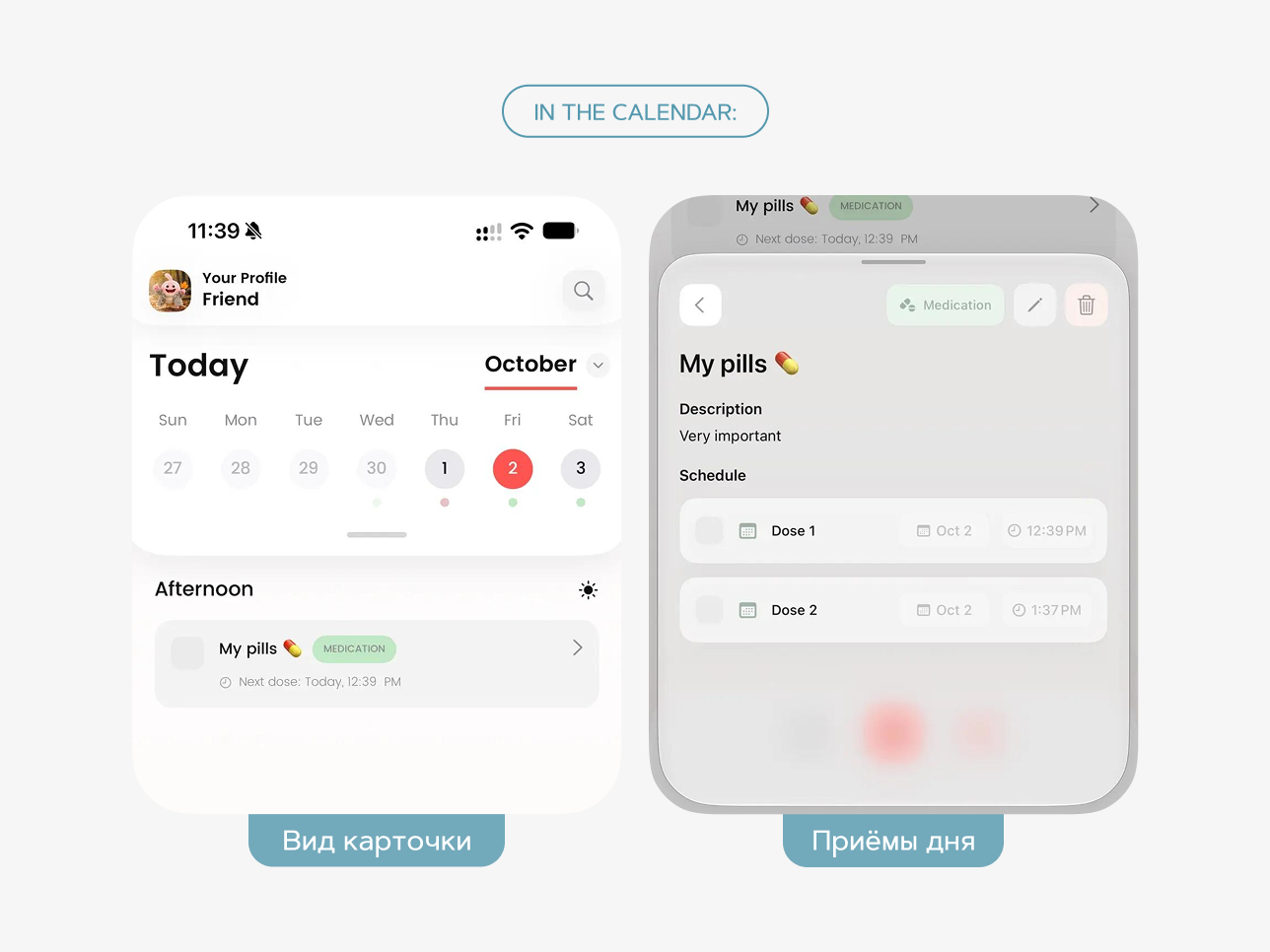
In the calendar:
Click the “Medications” card for the day you need — you’ll see only the doses scheduled for that specific date.
See also
